How to Maintain Sorting Order When Printing Inventory Transfers in Hike
Hike allows you to sort items in an Inventory Transfer based on your preferred sorting order, such as Product Name (A-Z) or Product Name (Z-A).
Previously, the selected sorting order was maintained on the Inventory Transfer screen but was not reflected in the printed transfer document.
With this enhancement, Hike now maintains the selected sorting order in both the Purchase Order (PO) and Print formats when using the Save & Print option.
This feature helps you easily locate, check, and review merchandise in your preferred order.
How to Sort Items in an Inventory Transfer
To sort items in an Inventory Transfer, follow these steps:
- Log in to your Hike account.
- Navigate to Inventory from the Hike menu.
- Select Inventory Transfers.
- Create a new Inventory Transfer or open an existing transfer.
- Add the required products to the transfer.
- Click the Product Name column header to sort the items.
- Select your preferred sorting order:
- A-Z: Sorts products in ascending alphabetical order.
- Z-A: Sorts products in descending alphabetical order.
- Once the items are arranged as required, click Save & Print.
Printing Inventory Transfers in the Selected Sorting Order
When you use the Save & Print option, Hike automatically maintains the sorting order selected on the Inventory Transfer screen.
The selected sorting order is reflected in both the PO and Print formats.
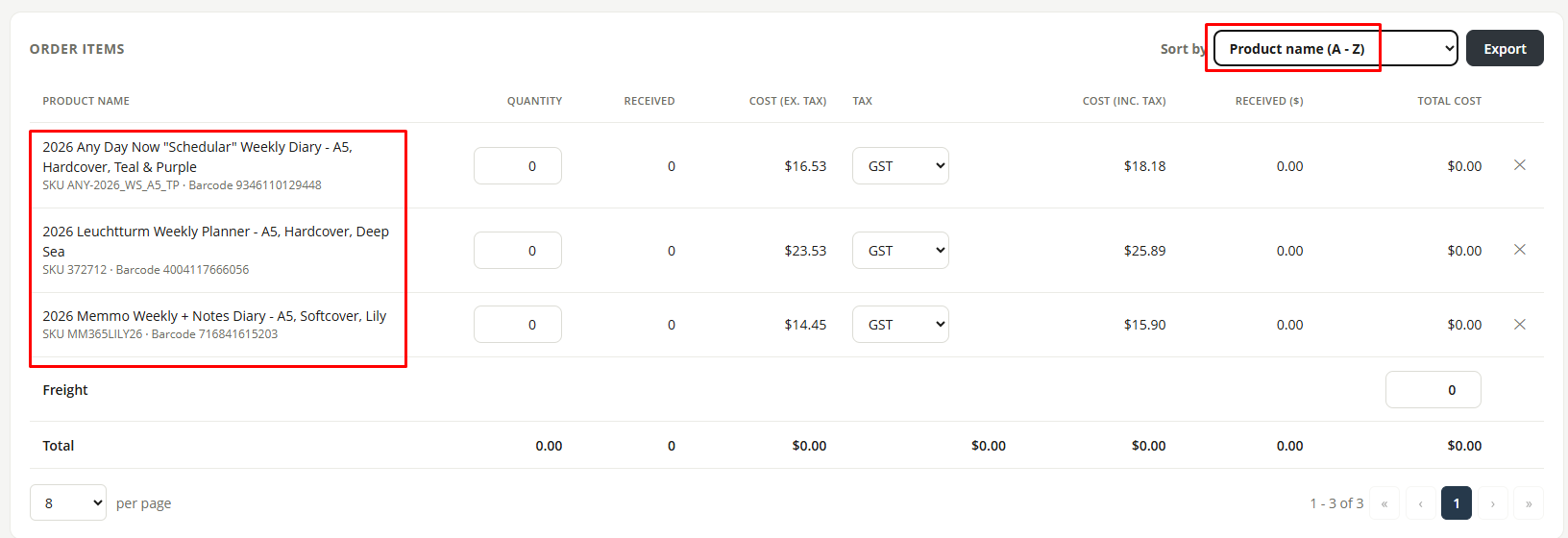
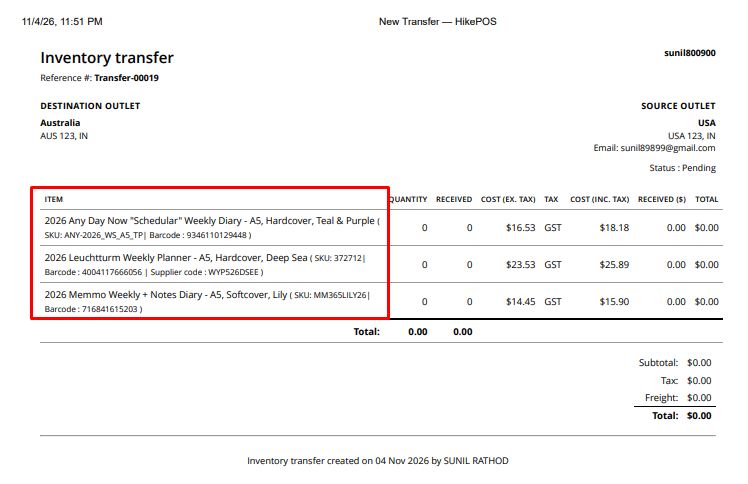
A-Z Sorting
When products are sorted in A-Z order, the printed PO and Print documents display the items in ascending alphabetical order.
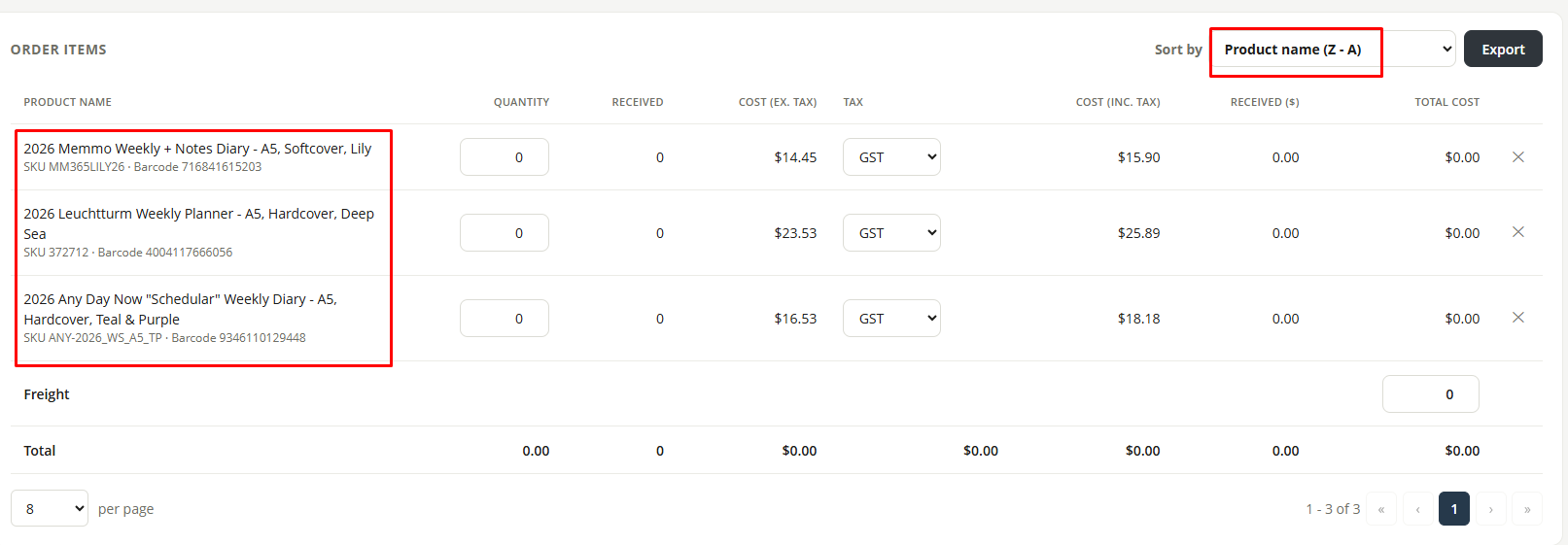
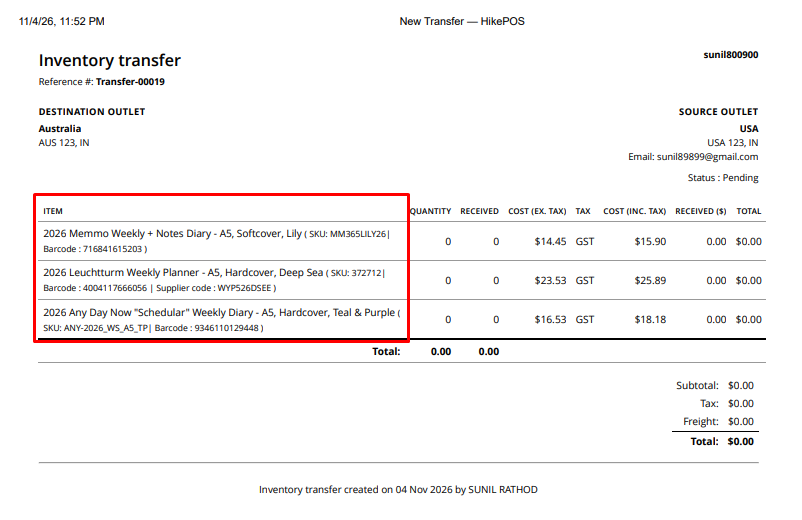
Z-A Sorting
When products are sorted in Z-A order, the printed PO and Print documents display the items in descending alphabetical order.
Important Notes
- The selected sorting order is maintained when saving and printing an Inventory Transfer.
- Both A-Z and Z-A sorting orders are supported.
- The sorting order is reflected in both PO and Print formats.
- You do not need to manually rearrange the products before printing.
This enhancement makes it easier to locate merchandise, verify transferred items, and review inventory in your preferred sorting order.
If you have any questions or need further assistance, please contact the Hike Support Team.