How to integrate Shippit with Hike eCommerce for your shipping needs
Introduction:
Hike integrates with Shippit seamlessly for your eCommerce Shipping needs Shippit is Australia's leading multi-carrier shipping software. Shippit works in Australia, New Zealand, Singapore and Malaysia to solve your complex fulfilment and shipping needs, and turn delivery into a competitive advantage.
Hike integrates with Shippit seamlessly for your eCommerce Shipping needs Shippit is Australia's leading multi-carrier shipping software. Shippit works in Australia, New Zealand, Singapore and Malaysia to solve your complex fulfilment and shipping needs, and turn delivery into a competitive advantage.
They power over 100 million deliveries each year, making one of the leading commerce delivery platform in region.
Please check their website below for more information.
For Shippit integration with Hike, you will need an API key received from Shippit. Below are the steps for the set-up:
- Login to your Shippit dashboard
- Go to the settings tab
- From the side menu, select integration
- Create a new API secret or use an existing one.
- Now come to Hike Shipment Carriers
- Paste the API secret into the Hike Shippit configuration Popup
- Enter the API key and then save the settings.
- Copy the URL given from the webhook configuration in Popup
- Now, come back to Shippit and paste the Webhook URL in the Webhook URL section
- And click the Update button
- Now check how to add a shipping rate (Link) to further configure your e-commerce.
Once done, the integration will be activated.
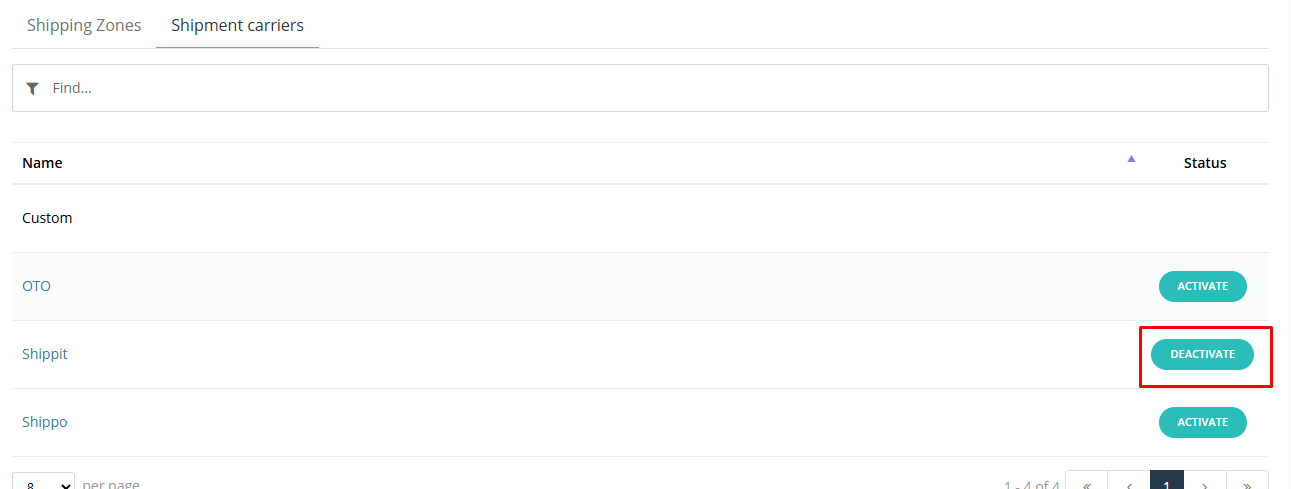
The Shippit integration is now ready to use.
The Shippit integration is now ready to use.
How to use Shippit for your eCommerce delivery requirements.
When you customer completes a purchase and goes on the Shipping options page, they will see the listed shipping options available as per your Shipping partners and charges.
Please note that the exact address is required to see all possible shipping options at the selected address.
Once the customer selects the Shipping option and completes the payment, they will see the Thank you message on the Hike eCommerce website.""
How to get the ready for the Shipping with Shippit:
Once the order is placed, you will be able to see this online/ecommerce order on your Hike POS Sales History page.
Once the order is placed, you will be able to see this online/ecommerce order on your Hike POS Sales History page.
You will need to check the TRACK page on the Shippit page to see your different ecommerce orders and their shipping and tracking status.
Now, from Hike sales history, you will start the option to pack and ship the order to your customer.
Please click on Mark as Pack option on the sales history page to start shipping for this order.
Once you click Mark as pack option, the status will change to Generate label.
When you click on Generate label option, a new window will open which will allow you to Print the Shipping label for Shippit.
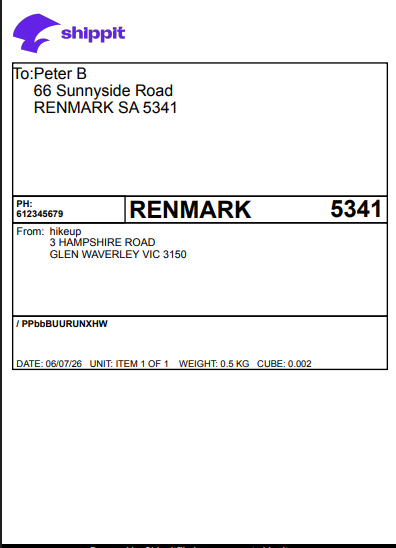
The label should look like below and readily printable.
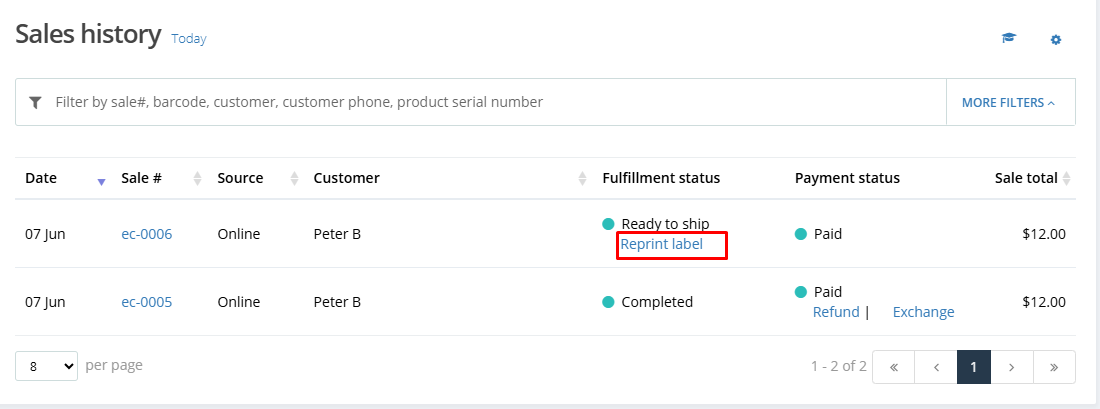
You can print the same label again from the option Reprint the label if required.
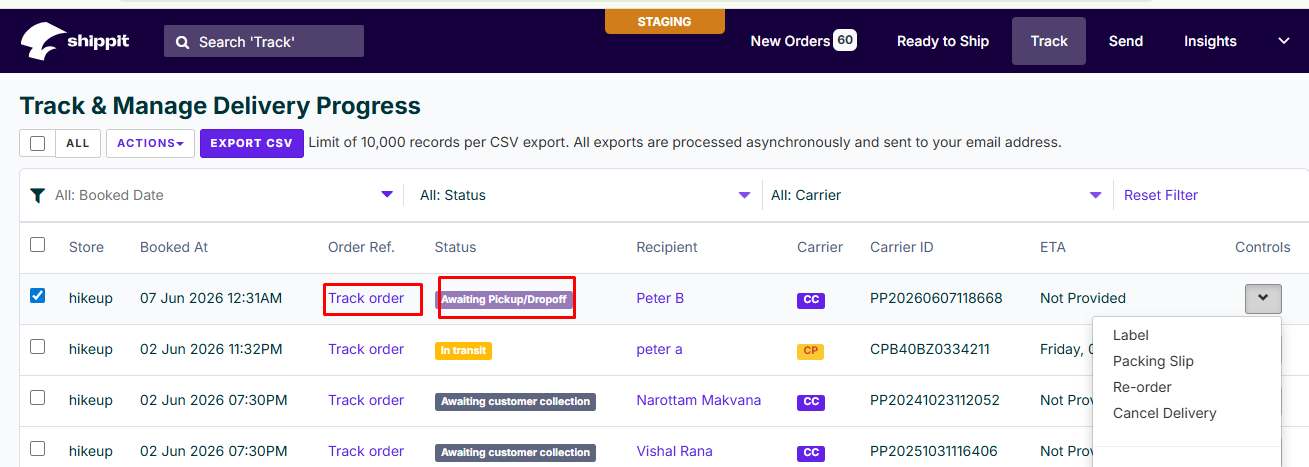
At the Shippit tracking page, the status now has changed to Awaiting pick-up/Dropoff. This means the order is ready to be picked up by the Shipping carrier.
You will be able to check the status of the order via Track Order option available on the page.
The label should look like below and readily printable.
You can print the same label again from the option Reprint the label if required.
At the Shippit tracking page, the status now has changed to Awaiting pick-up/Dropoff. This means the order is ready to be picked up by the Shipping carrier.
You will be able to check the status of the order via Track Order option available on the page.
Tracking your order:
When you click on Track Order option, a new window will open which will give you the status of the order in real time.
The order will be collected by Shippit and will be delivered to the customer at their shipping address.