AI Workflow: Manage your store using AI assistance via Telegram
Overview:
This feature allows you to manage your store directly through Telegram with an AI assistant that provides real-time access to your business data — products, stock levels, sales, and customer details — all from a simple chat interface.
Key Benefits • Access store data remotely from anywhere. • Instant information retrieval via Telegram chat. • Check products, stock, sales, and customer details without logging into Hike. |
You have this option to activate this AI feature under AI workflow.
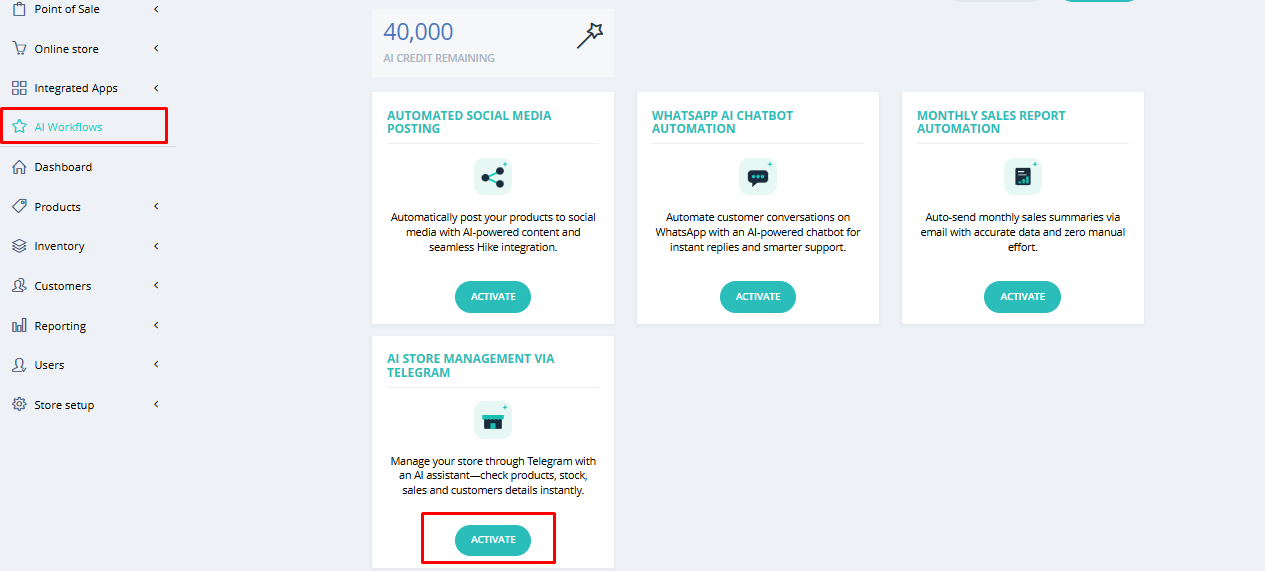
Once you click on Activate option here, a new window will slide out where you need to add the details to complete the integration.
Once you click on Activate option here, a new window will slide out where you need to add the details to complete the integration.
Paste your Telegram Bot Token into the field.
Required Credentials:
Field | Description |
Telegram Bot Token | The HTTP API token generated via Telegram's BotFather |
Once the token is entered, click Activate to enable the workflow.
How to Generate Your Bot Token (One-Time Setup)
Step 1: Open BotFather on Telegram
Open Telegram and search for @BotFather. Start the chat.
Step 2: Create a New Bot
Send /start, then send /newbot.
Step 3: Enter a Bot Name
Enter a name for your bot when prompted (e.g. My Shop).
Step 4: Enter a Bot Username
Enter a username ending in bot (e.g. MyShopBot).
Step 5: Copy the Bot Token
BotFather will return an HTTP API token in the following format:
123456789:ABC...
Copy this token and paste it into the Telegram Bot Token field in Hike.
Bot tokens never expire.
Your bot is now active on Telegram.
How does this bot work?
Bot tokens never expire.
Your bot is now active on Telegram.
How does this bot work?
Telegram bots are third-party applications that run inside the Telegram app. Users interact with them by sending messages, commands, or requests. With this feature, you can message your Telegram bot to instantly check products, stock levels, sales data, and customer details — all without logging into Hike.
The bot will provide the information about the Hike store instantly on your Telegram.
Please check one example below.
Additional Resources
For more information, refer to the Official Telegram BotFather documentation available through the Telegram Developer portal.